Available Now
Windows
Download the latest Windows installer and start your free trial.
Download for WindowsDownloads
Choose your platform. Windows is available now, and macOS is coming soon.
Available Now
Download the latest Windows installer and start your free trial.
Download for WindowsComing Soon
macOS support is in progress. We will announce availability on the website.
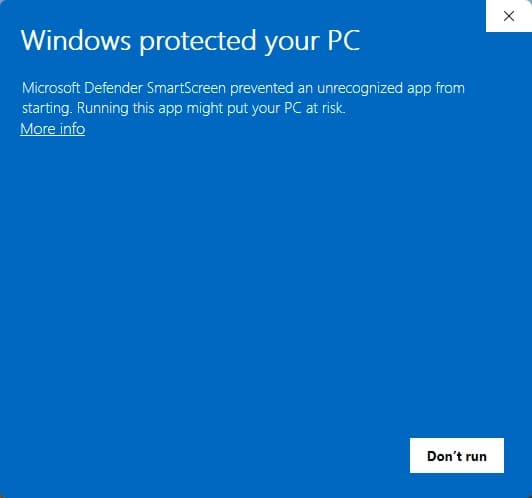
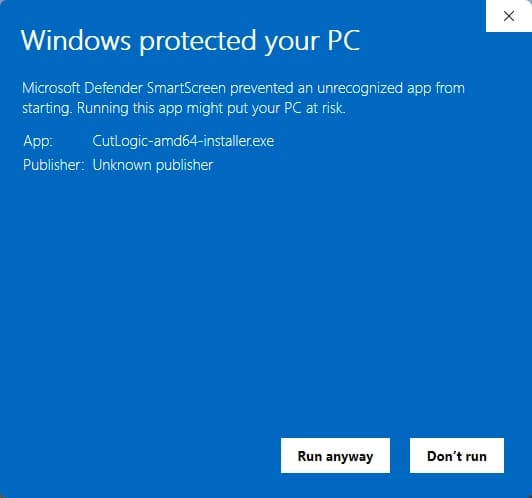
macOS Coming SoonWindows may show a "Windows protected your PC" message on first install. If that appears, click More info and then Run anyway.
This is common for new installers while Windows reputation builds.
Step 1
Initial SmartScreen prompt shown during first install.
Step 2
After selecting More info, choose Run anyway to continue.
Need install help? Email support@cutlogic.app